> ## Documentation Index
> Fetch the complete documentation index at: https://docs.anyshift.io/llms.txt
> Use this file to discover all available pages before exploring further.
# Knowledge Graph
> How Annie builds and maintains a unified view of your entire infrastructure
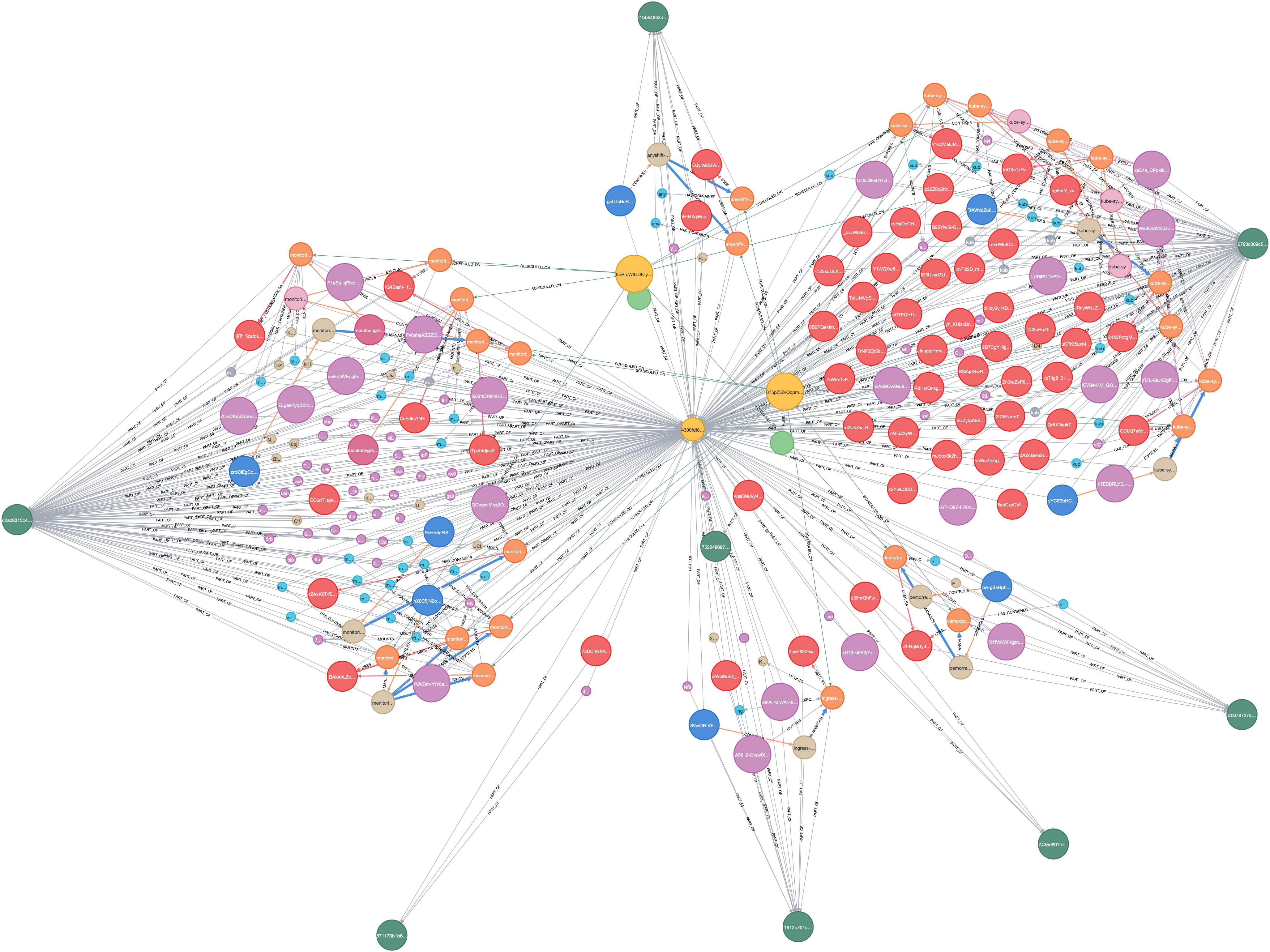
Annie builds a **unified knowledge graph** of your entire infrastructure, connecting cloud resources, code, containers, and monitoring data into a single, queryable model.
 ## What Data Annie Has Access To
| Category | What Annie Knows |
| ------------------------------ | ------------------------------------------------------------------------------------------ |
| **Cloud Infrastructure** | Resources, configurations, security policies, IAM, networking, and all their relationships |
| **Containers & Orchestration** | Workloads, services, deployments, RBAC, and cluster topology |
| **Infrastructure as Code** | Code definitions, modules, variables, and how code maps to deployed resources |
| **Application Code** | Source code, configuration files, and recent changes (can run on-prem) |
| **Deployed State** | What's actually running vs. what's defined, detecting drift and orphaned resources |
| **Observability** | What's being monitored, which dashboards exist, and alerting configurations |
Annie automatically discovers **relationships** between these categories. Ask *"Which code manages this instance?"* or *"What monitors are watching this service?"*
## How It All Connects
The knowledge graph links your infrastructure across four layers. Annie can trace relationships in any direction:
Monitors, dashboards, alerts, and hosts
Compute, storage, networking, security, and IAM
Pods, services, deployments, and config maps
Modules, resources, variables, and state
Annie can trace from any layer to any other. Ask *"What code deployed this pod?"* or *"Which monitors watch resources in this module?"*
## How Fresh is the Data?
Infrastructure changes are reflected within seconds
Query the state of any resource at any point in the past week (extendable)
See exactly what changed, when, and in what order
Ask Annie *"What changed in production in the last 2 hours?"* or *"Show me the history of this security group since yesterday."*
## Live Observability Queries
For logs, metrics, and traces, Annie **queries your monitoring tools live**. She doesn't duplicate your observability data.
When investigating an incident, Annie calls your Datadog, Grafana, or other monitoring APIs in real-time, correlating what she finds with infrastructure changes from the knowledge graph.
* **Always fresh:** No sync delays, you get the latest data
* **No duplication:** Your observability data stays where it is
* **Full access:** Annie uses your existing queries and dashboards
## Related
How Annie learns from the graph and coordinates specialized agents.
Code → state → live, and how Annie draws it as a diagram.
Query the graph in plain language.
Walk the graph backwards through the last 7 days.
## What Data Annie Has Access To
| Category | What Annie Knows |
| ------------------------------ | ------------------------------------------------------------------------------------------ |
| **Cloud Infrastructure** | Resources, configurations, security policies, IAM, networking, and all their relationships |
| **Containers & Orchestration** | Workloads, services, deployments, RBAC, and cluster topology |
| **Infrastructure as Code** | Code definitions, modules, variables, and how code maps to deployed resources |
| **Application Code** | Source code, configuration files, and recent changes (can run on-prem) |
| **Deployed State** | What's actually running vs. what's defined, detecting drift and orphaned resources |
| **Observability** | What's being monitored, which dashboards exist, and alerting configurations |
Annie automatically discovers **relationships** between these categories. Ask *"Which code manages this instance?"* or *"What monitors are watching this service?"*
## How It All Connects
The knowledge graph links your infrastructure across four layers. Annie can trace relationships in any direction:
Monitors, dashboards, alerts, and hosts
Compute, storage, networking, security, and IAM
Pods, services, deployments, and config maps
Modules, resources, variables, and state
Annie can trace from any layer to any other. Ask *"What code deployed this pod?"* or *"Which monitors watch resources in this module?"*
## How Fresh is the Data?
Infrastructure changes are reflected within seconds
Query the state of any resource at any point in the past week (extendable)
See exactly what changed, when, and in what order
Ask Annie *"What changed in production in the last 2 hours?"* or *"Show me the history of this security group since yesterday."*
## Live Observability Queries
For logs, metrics, and traces, Annie **queries your monitoring tools live**. She doesn't duplicate your observability data.
When investigating an incident, Annie calls your Datadog, Grafana, or other monitoring APIs in real-time, correlating what she finds with infrastructure changes from the knowledge graph.
* **Always fresh:** No sync delays, you get the latest data
* **No duplication:** Your observability data stays where it is
* **Full access:** Annie uses your existing queries and dashboards
## Related
How Annie learns from the graph and coordinates specialized agents.
Code → state → live, and how Annie draws it as a diagram.
Query the graph in plain language.
Walk the graph backwards through the last 7 days.